FileWorks requires macOS 26 or later

FileWorks requires macOS 26 or later

Free
No trial, no nag screen, no account
Native
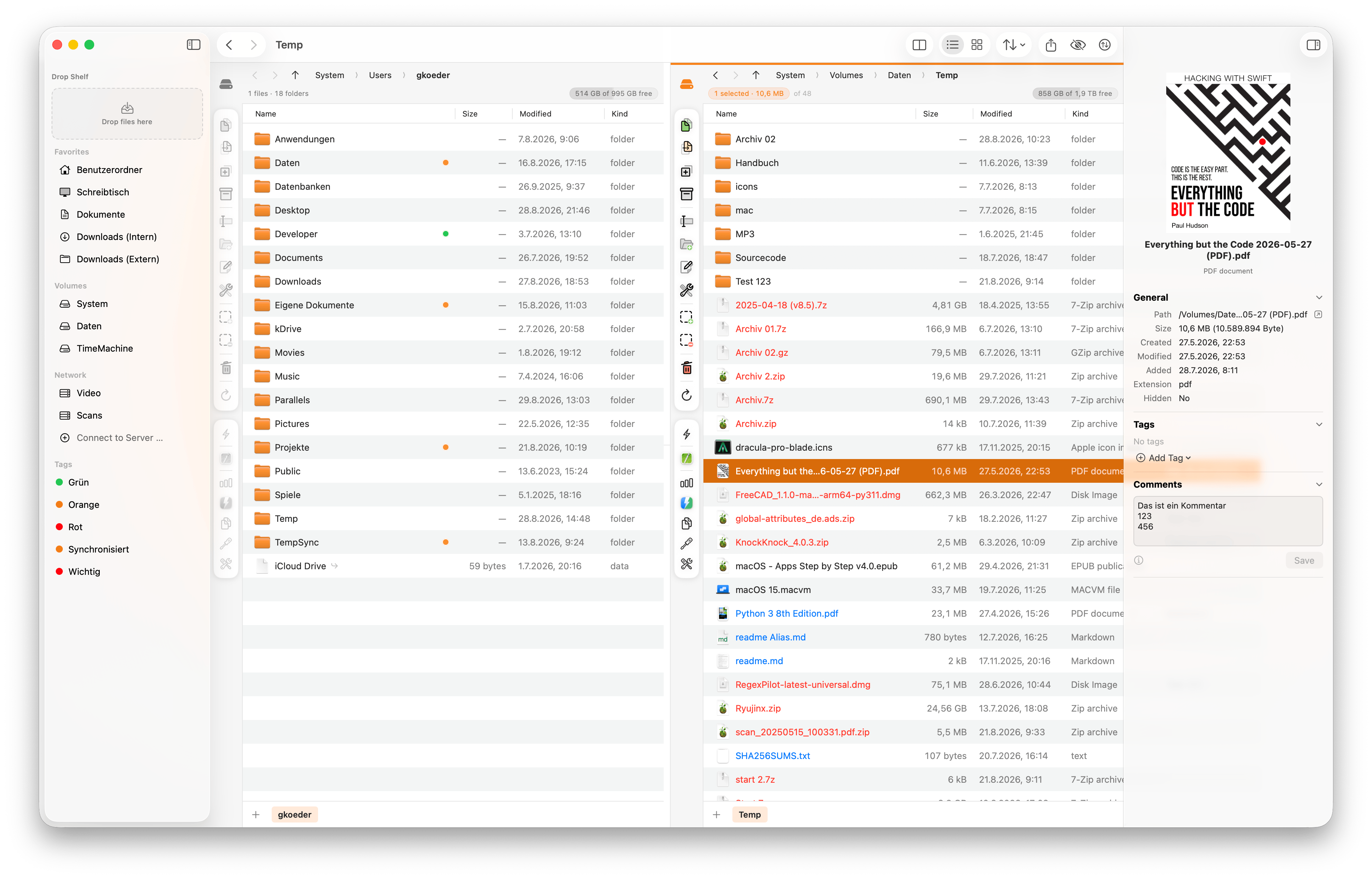
Native macOS app with Quick Look, Finder tags, and comments
Multilanguage
Interface and manual available in English and German
Not a pile of settings — a set of tools that each remove one recurring annoyance.

Source and destination side by side. Hide the second pane with ⌥⌘2 and nothing else changes.

Jobs run one after another with progress, speed, ETA and cancel. Failures stay until you've seen them.

Walk into a ZIP, 7z, tar, rar or iso. Pack with a password, and verify an archive entry by entry.

Patterns, counters, dates, search & replace, RegEx — with a live preview that blocks every clash.

Did my copy arrive intact? Do I have this twice? Is this download genuine? SHA-256 says so.

The same coloured labels macOS uses — written straight into the file, found system-wide via Spotlight.

⇥ switches pane, ⇧Space marks and moves on, ⌘1 + three letters jumps to any drive.

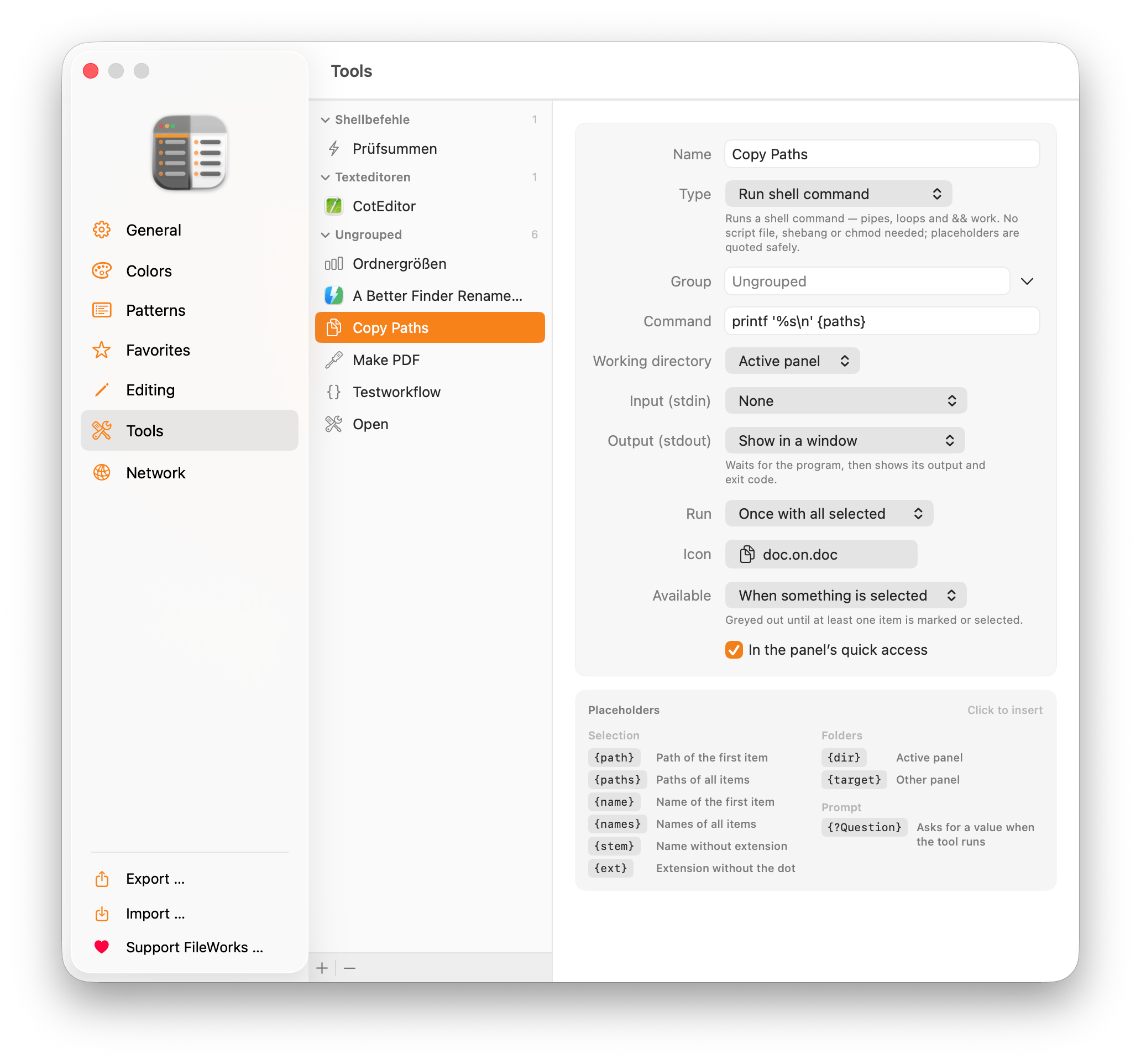
Turn any app, script, one-liner or Shortcut into a button — with placeholders and safe quoting done for you.

Cloud-only files are downloaded as part of the job — so a copy is a copy, never a hollow placeholder.

Mask-mark here, quick-filter the list, or search recursively — results stream in live, archives included.

Park files from anywhere in the sidebar, then drag the whole collection out at once — or keep it for the next destination.

Every file lands via a temporary copy and is swapped in at once. Cancel anything and the old state is back.
Mark first, then act
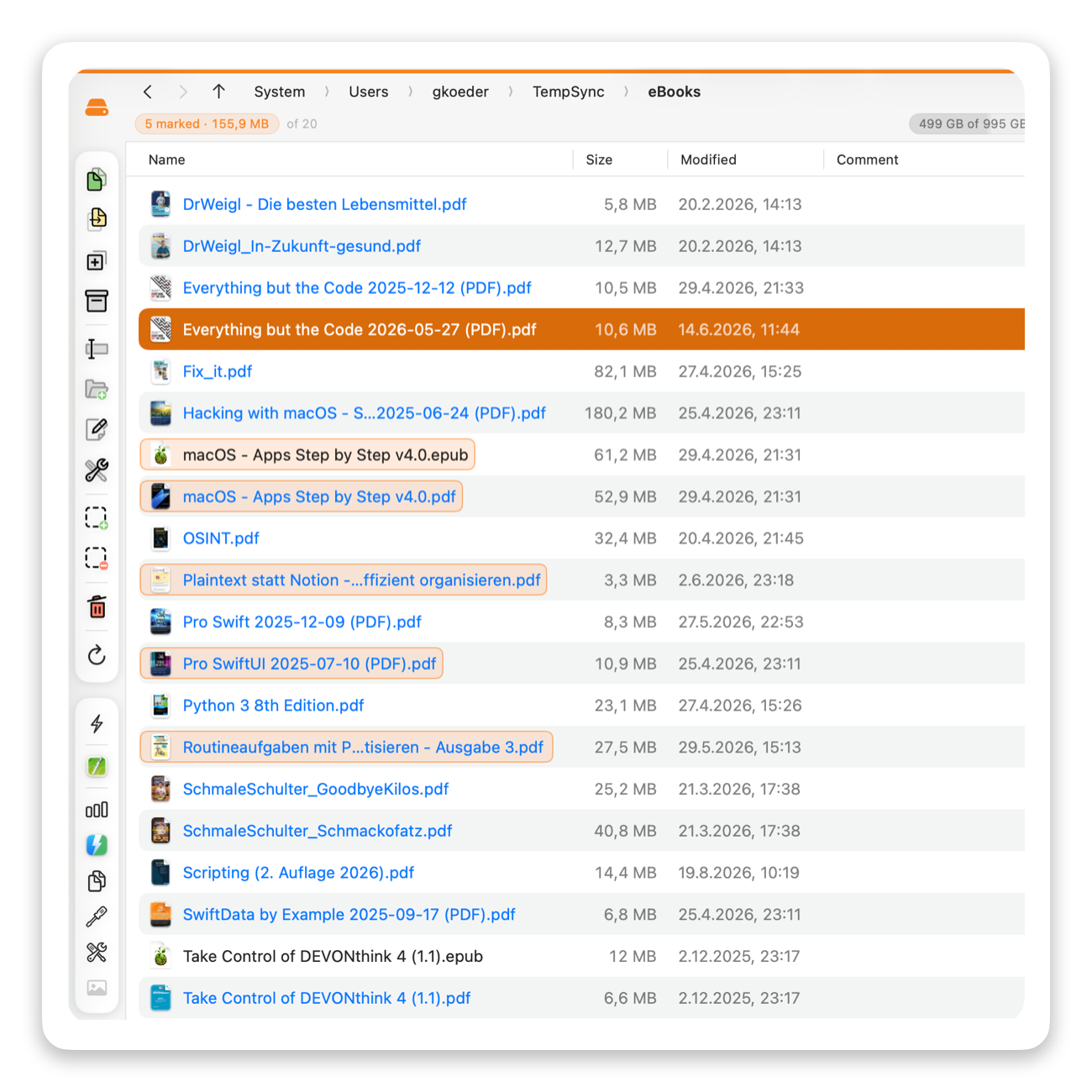
A mark is a second layer on top of the selection — and it stays. Move the cursor, click elsewhere, filter the list: the marks hold until you clear them.
Every command works on the marks when there are any, and on the selection when there aren't. So if you never mark anything, FileWorks simply behaves like Finder.
Teach it your own moves
The simplest tool takes half a minute and no code: pick an app, and marked files open in it. From there it scales to shell one-liners, scripts and Shortcuts.
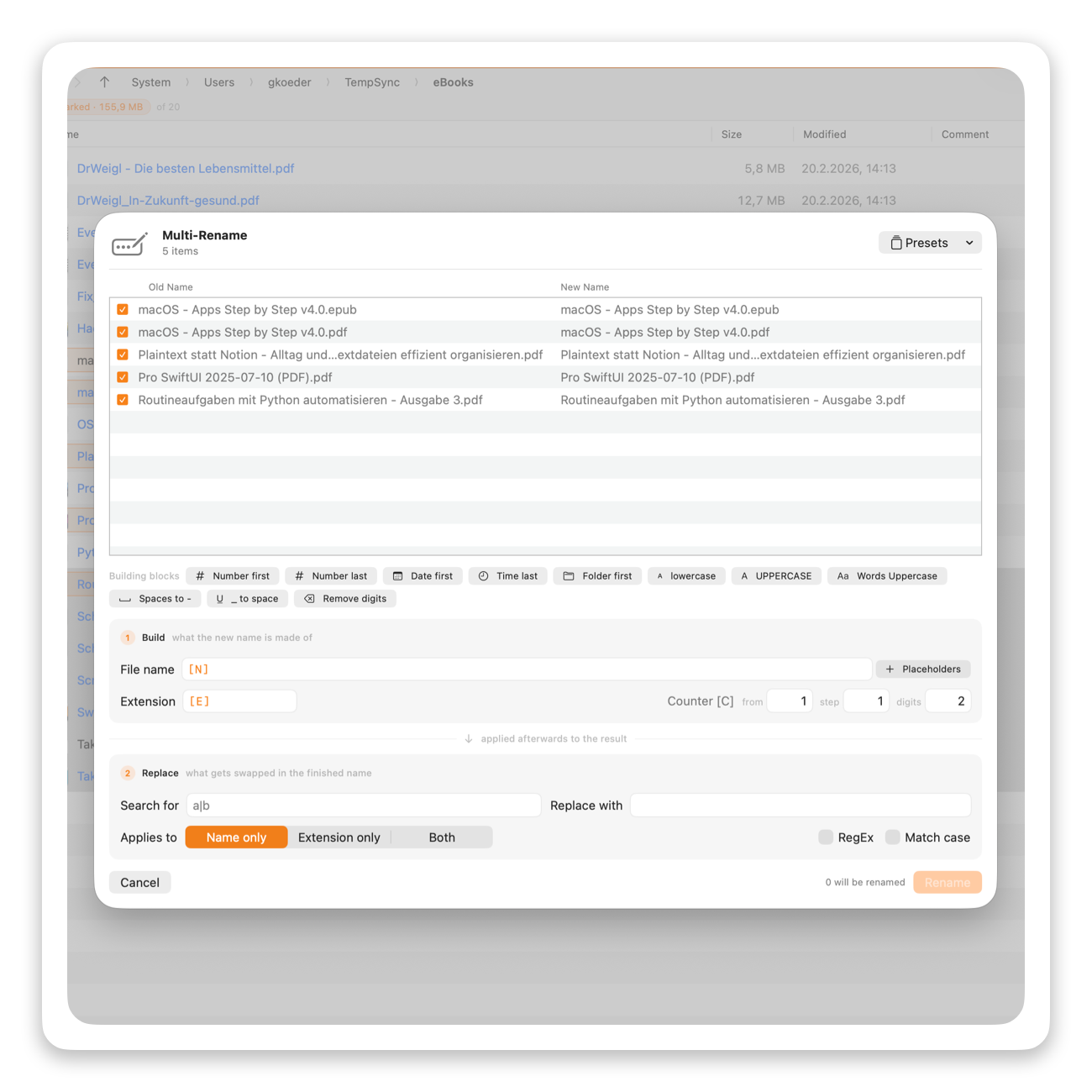
300 files, one pattern
Combine names, counters, dates, and parent folders into reusable rename patterns. Preview every result before anything changes.
[N] for the name, [C10+5:3] for a counter, [d] for the date, [P] for the parent folder — combined however you like, with search & replace and RegEx on top.
Every result is previewed before anything happens, duplicates and invalid names block the rename, and a scheme you like becomes a preset.

Your files go only where you send them.
FileWorks has no account, analytics, or cloud backend. It never uploads your files or configuration to us.

Everything stays local.
Your configuration lives on your device — there is no cloud back end and no user account.
Nothing is collected.
FileWorks does not collect analytics, create user profiles, or upload your configuration to a cloud service.
Notarized by Apple.
Every release is checked by Apple for known malicious software before distribution.